


Introduction: The Room Is Ready, But the Meeting Isn’t
Here’s a direct claim: meetings fail more from friction than from tools. A paperless conference system only succeeds when every signal—voice, screen, and vote—moves without delay or doubt. Picture a boardroom with remote participants, a live interpreter, and a last-minute agenda update. The slides load. The mics light up. Yet people wait while someone hunts for a cable or fights a login. In many internal audits, leaders discover that setup gaps cost real time and trust, even when software is “best in class.” What if the fault is in the path, not the platform?
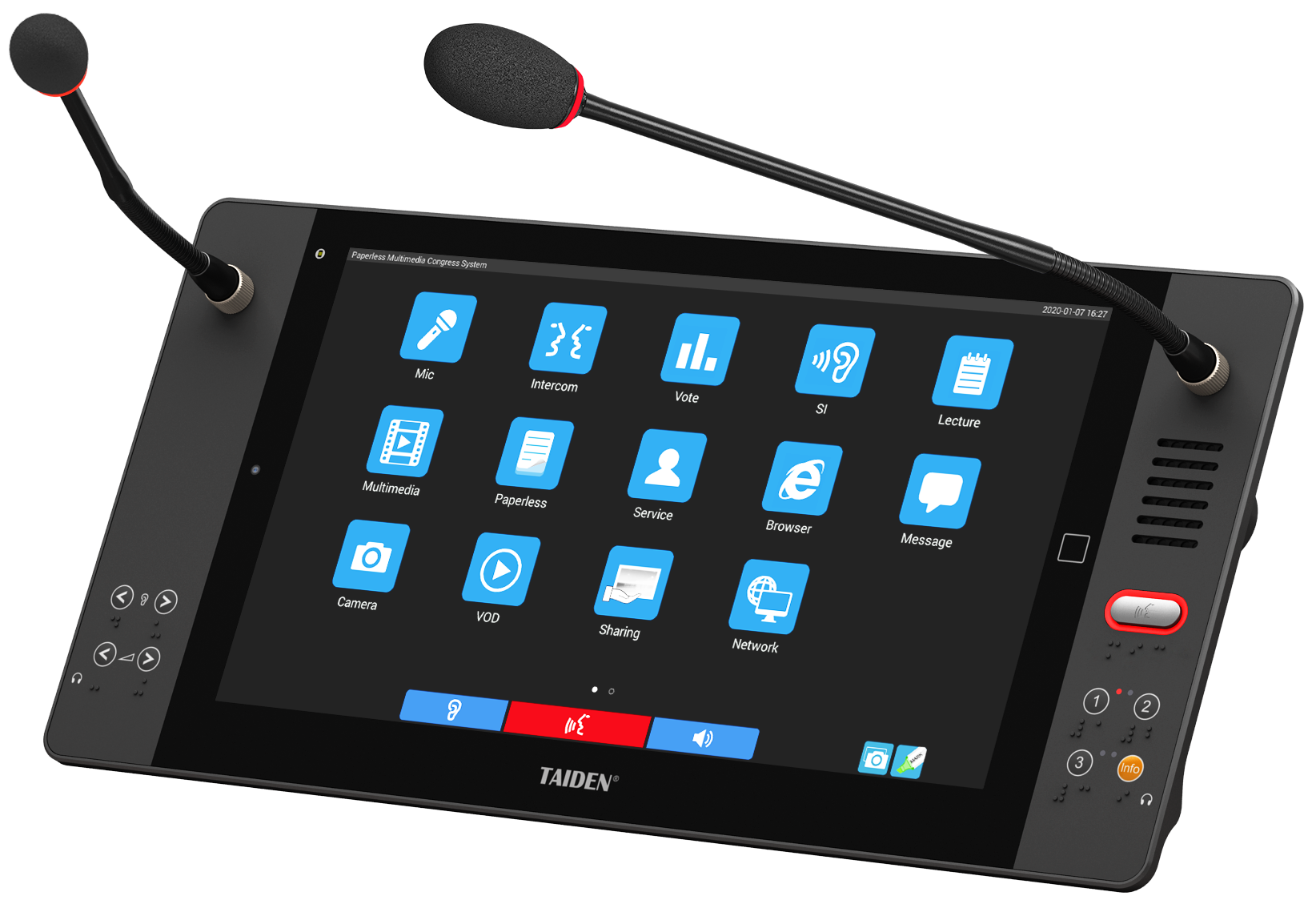
Consider the data you do see—join times, uptime, and bandwidth—and the data you do not: mic handoffs, channel noise, and re-pairing cycles. Together they shape the session’s quality. If the signal chain is noisy, even great content reads as weak. So the core question becomes simple: which design clears more friction, under real constraints, and at scale (big rooms, mixed devices, hard deadlines)? Let’s use that lens to compare the options and move from symptoms to root causes—next.
Under the Surface: User Pain Points in Wireless Meetings
Where do traditional setups fall short?
Building on Part 1, this section goes technical. A modern wireless conference system should feel seamless. Yet hidden pain points persist. Latency spikes appear when RF spectrum gets crowded. Battery anxiety rises because power converters and charging routines do not match real use cycles. Pairing is easy on day one, then messy after firmware updates. And speech clarity drops when beamforming profiles fight room acoustics rather than shape them. Look, it’s simpler than you think: people notice handovers, not specs.
Legacy thinking makes it worse—funny how that works, right? We still copy wired habits into wireless flows. Long chains of permissions. Manual channel scans. Static QoS rules even when the room shifts. The result: brittle sessions. A few industry details matter here. If AES-128 encryption isn’t hardware-accelerated, you pay in delay. If edge computing nodes do not cache agenda media, you pay in jitter. If DSP presets ignore mic density, you invite feedback and fatigue. The fix is holistic. Treat provisioning, RF planning, and participant flow as one system, not a pile of checklists.

Comparative Insight: New Principles That Make Wireless Actually Work
What’s Next
Now tilt forward. The better comparison is not “wire vs. wireless,” but “static vs. adaptive.” New designs apply channel agility and intent-based QoS. They watch the room and shift in real time. Think coordinated MIMO with smarter beamforming, not brute-force power. Think low-latency codecs that hold intelligibility when conditions wobble. And when the control layer ties discussion queues, voting, and media to roles, moderators gain flow control that feels natural—almost invisible—because policy sits near the edge.
Here’s how those ideas land in practice. Adaptive RF uses telemetry to preempt interference rather than chase it. Speech DSP maps seating geometry, so handovers snap cleanly and side chatter stays low. Cached content near endpoints trims load on the backbone. When a smart multimedia meeting system binds these layers, you get fewer re-joins, faster starts, and clearer minutes—without adding steps. Wired still wins in shielding and deterministic timing. Yet modern wireless narrows that gap with predictive hopping, better antenna arrays, and firmware that self-tunes after each session. The best part: people stop talking about the system—because it stops getting in their way.
Decision Guide: Three Metrics That Keep You Honest
To wrap with something you can use, evaluate solutions by three measurable signals. First, stability under stress: run a peak-load test with dense mics, live screen share, and recording; track packet loss, round-trip latency, and recovery time after a forced RF hit. Second, operational fit: measure setup-to-speak time across five meetings; include pairing, role assignment, and content distribution; aim for consistency, not hero moments. Third, lifecycle resilience: verify battery cycles, hot-swap behavior, and firmware rollback; confirm that updates do not break pairing or QoS maps. If a platform demonstrates these—plus clear logs you can trust—you will feel the difference at the table. And yes, it should feel invisible—because that is the point.
These lessons echo our earlier findings: remove friction, design for adaptation, and test what users actually do. Do that, and paper fades from the picture while focus returns to people and outcomes. For a deeper dive into systems that align with these principles, see TAIDEN.