



Straight talk on why it matters
Roads, rails, and ports run on gear that won’t quit when it gets hot, cold, wet, or bumped. A consumer switch won’t cut it — you need a layer 2 managed switch built to take abuse and still keep packets moving. This piece compares the ruggedized, managed industrial boxes against the cheap office stuff so you can pick gear that keeps ITS (traffic controllers, tolling units, CCTV, sensors) online when it counts.

Hard differences that actually affect uptime
Don’t get fancy — look at these core differences. Rugged industrial switches usually have hardened enclosures, extended temperature ranges, and redundant power inputs. They offer features like VLAN support, QoS prioritization, and SFP fiber ports for long links. Consumer switches lack those and often can’t handle EMI from nearby heavy equipment.
Think of it like trucks vs sedans. Both move cargo, but one was made to climb hills with a load. Rugged switches add MTBF-rated components and conformal coating to fend off moisture and dust — things you won’t see on an off-the-shelf desktop unit.
Performance features you’ll actually use
When you compare specs, watch for PoE budget figures if you’re powering cameras and radios. A proper unit will list per-port PoE and total PoE watts. Also check for SFP or SFP+ cages for fiber uplinks, and Layer 2 features like link aggregation and VLAN tagging for network segmentation. Latency and QoS rules matter when you’re streaming video from multiple CCTV feeds — the right switch will let you prioritize that traffic.
Real deployments where rugged matters
Look at busy terminals such as the Port of Los Angeles, which handles millions of TEUs annually — the networks there run on industrial-grade switches to connect cranes, sensors, and surveillance across yards. Same for urban traffic corridors: a fiber-fed junction with weatherproof switches keeps signal controllers talking during storms. These are not lab tests; they’re running hardware under real stress, day after day.
Common mistakes teams make — and how to dodge them
Teams often buy for price first and patch later. They’ll pick a light-duty unit, then scramble when it fails in summer heat. Others forget to plan PoE headroom — cameras draw more than people expect. Some skip VLAN planning and end up with broadcast storms that slow everything down. Plan for redundancy: dual power inputs, ring topologies for quick failover, and spare SFP capacity — this saves you emergency fixes and overtime.
Also don’t confuse “managed” with “industrial.” A managed consumer switch might give you a web GUI and SNMP, but it won’t survive vibration or have wide-range DC inputs. — Make sure the datasheet has temperature, shock, and vibration specs spelled out.
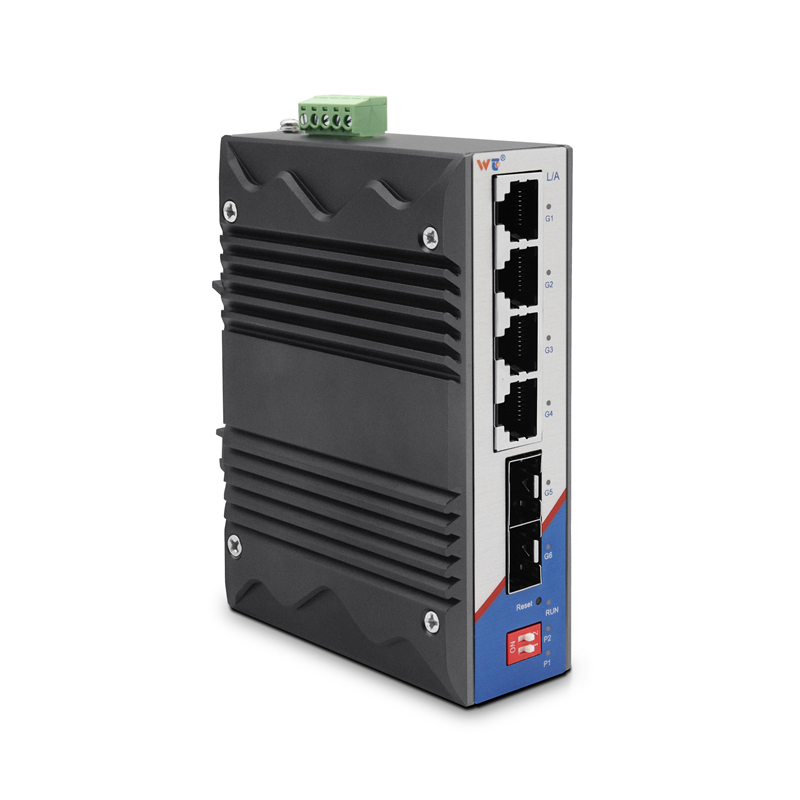
Pick checklist: three metrics that nail the choice
Score candidates by these three hard metrics: 1) Environmental spec range and protection (operating temperature span, IP rating, and vibration/shock ratings). 2) Network capability (VLAN, QoS, link aggregation, SFP ports, and PoE budget). 3) Resiliency and service (redundant power, recovery time for ring topology, and documented MTBF/service life). Use those to compare apples to apples, not marketing fluff.
For many ITS projects, a layer 2 managed gigabit switch that meets the three metrics above is the practical cost-effective choice — it gives you the network control and environmental toughness you need without nonsense bells you won’t use.
Final take and fast lead
Buy for conditions, not hype. Match PoE to camera plans, insist on SFP for distance, and demand redundant power if downtime costs real money. These steps get you a predictable installation and fewer midnight fixes.
WINTOP has models that fit these rules — they list the specs up front, so you can compare cold, hot, and wet tolerances the same way you compare port counts. WINTOP. — Solid gear, plain facts.